

What is GBpass?
A quick tour of GBpass: a zero-knowledge, end-to-end encrypted vault for your passwords, passkeys, cards, notes, and files.
GBpass is a password manager: a secure app that remembers your passwords so you don't have to. Instead of reusing the same password everywhere or writing passwords on sticky notes, you keep every login in one encrypted vault, protected by a single Master Password that only you know.
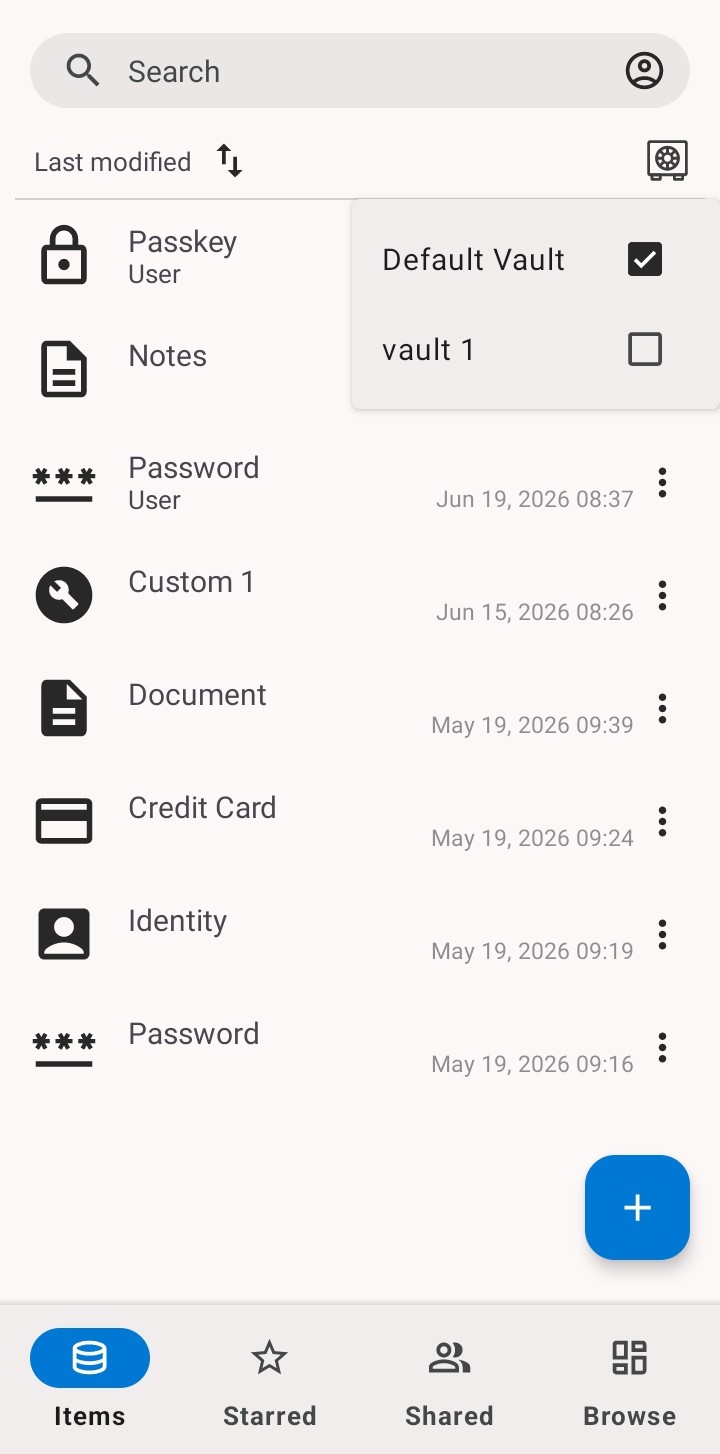
Everything in one secure place
Your vault isn't just for passwords. GBpass can store several kinds of items:
- keyPasswords: website and app logins.
- passkeyPasskeys: passwordless sign-in credentials saved from supported websites.
- account_balanceCredit cards for faster, safer checkout.
- verified_userIdentities: personal details you fill in often.
- note_altSecure notes & documents: private notes and file attachments.
Only you can open your vault
GBpass is built on zero-knowledge, end-to-end encryption. Your data is encrypted on your device before it ever reaches our servers, and only your Master Password and Secret Key can unlock it. We never see your keys, so we can't read your data, even if we wanted to.
Want the details? Read the Security Guide to learn how your Secret Key, Master Password, AES-256-GCM encryption, and zero-knowledge architecture work together.
Works across your devices
Save a password on your phone and it's ready everywhere you use GBpass. Your vault syncs securely across devices, and it is always end-to-end encrypted in transit and at rest. GBpass is available for Android today, with iOS in development.
Finding your way around
Along the bottom of the app you'll find four tabs:
- grid_viewItems: all of your saved items.
- dnsBrowse: filter by category, tag, archive, or trash.
- starStarred: your favorite items, one tap away.
- shareShared: items shared with you or by you.
Ready to begin? The next article walks you through creating your account.
Related articles
Still need a hand?
Browse the Help Center FAQ or contact our support team.