

Search & sort your items
Find items fast with search, and sort your list by name, last modified, or last created.
As your Vault grows, scrolling to find one login gets slow. GBpass gives you two quick ways to zero in on what you need: search filters your items as you type, and sort reorders the whole list so the right entries surface first. This guide walks through both on the Items tab.
1. Search your items
Tap the search bar at the top. Start typing and the list filters instantly, narrowing to the items that match as you add each character. There is no need to press enter or a search button.
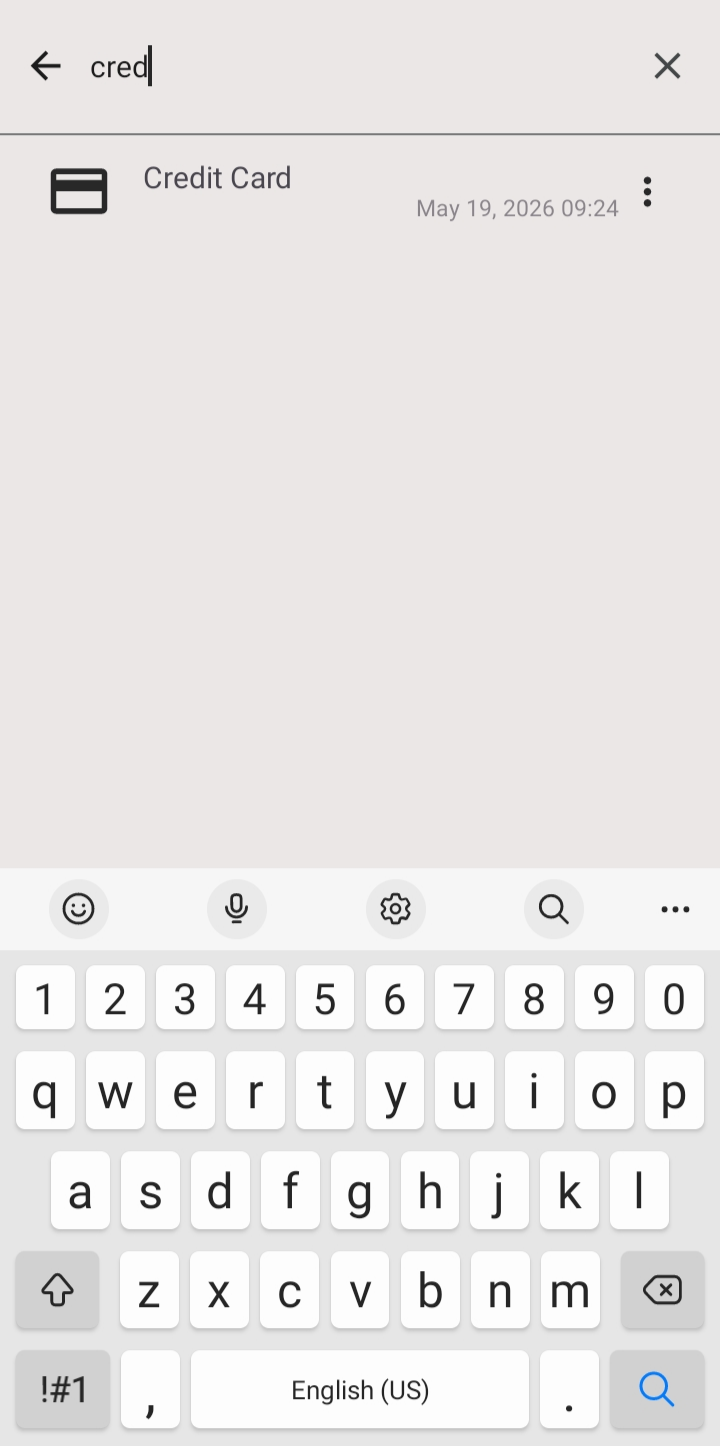
- boltResults update live with every keystroke, so you can stop typing as soon as you spot the item you want.
- closeClear the search field to return to your full list of items.
2. Sort your items
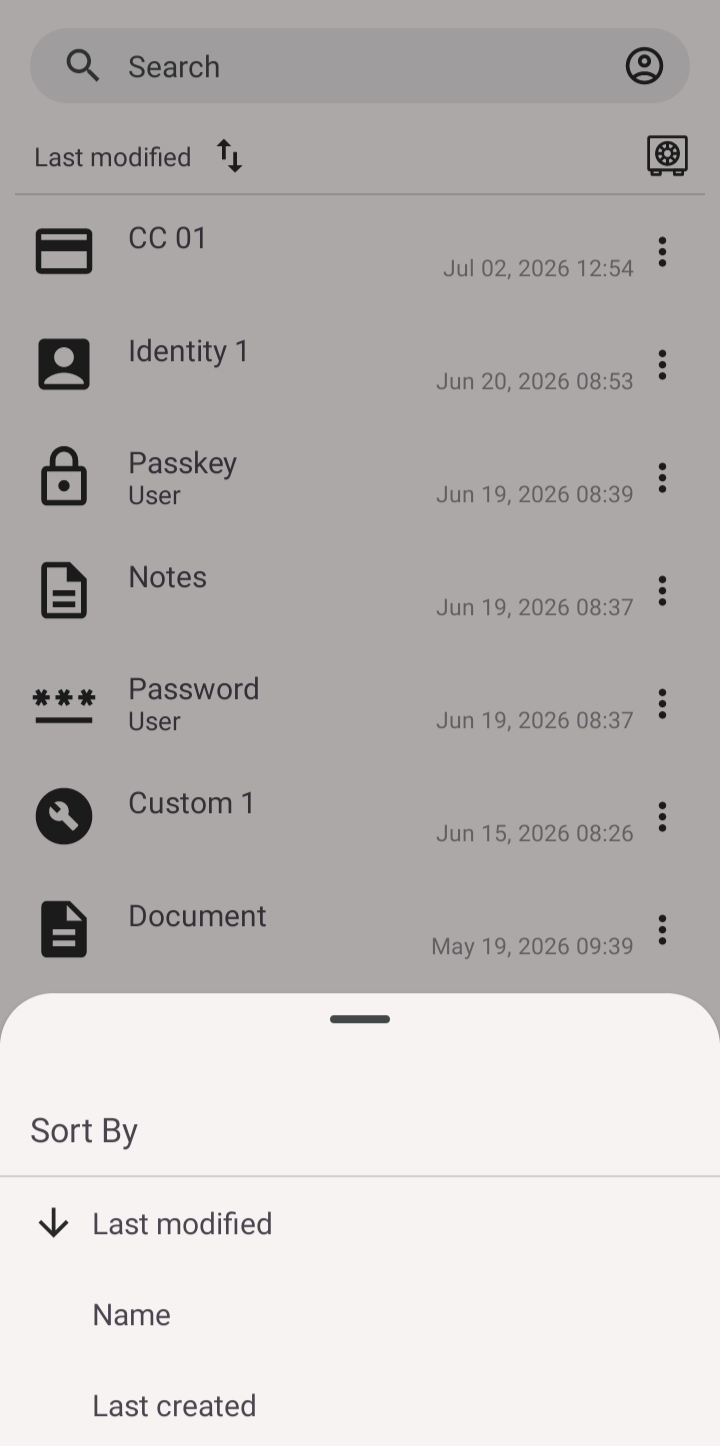
When you want to reorder the entire list instead of filtering it, tap Sort By. A sheet opens where you can choose how items are arranged. Pick the option that fits how you think about your Vault:
- titleName arranges items alphabetically by title.
- note_altLast modified puts the items you changed most recently first. This is the default.
- checkLast created orders items by when you first added them.
3. Switch ascending or descending
Next to your chosen sort option is a direction arrow. Tap it to flip between ascending and descending order. For example, with Name selected you can switch between A to Z and Z to A, and with a date option you can put the newest or the oldest items at the top.
warning Your sort choice sticks until you change it, but search always shows results in that same order. If a match seems out of place, check which sort is active.
Keep going
Now that finding items is fast, learn how to organize your Vault and how Starred, archive, and trash help you keep the important entries close and clear out the rest.
Related articles
Still need a hand?
Browse the Help Center FAQ or contact our support team.