

Manage your plan & billing
Compare the Free and Personal plans, start the 30-day free trial, switch between monthly and annual billing, and manage everything through Google Play.
Your GBpass plan sets how much you can store: 250 MB on Free, 20 GB on Personal. Sync, autofill, secure sharing and attachments are included either way. Everything about your plan lives in one place inside the app, and all payments run safely through Google Play. This guide shows you how to view your current plan, start the free trial, pick a billing period, and cancel when you need to.
1. Open your plan settings
Head into your account settings to see your plan status. Open Settings, tap Plan, then tap Manage your subscription. The Plan screen shows what you are currently on and the options available to you.
If you have never subscribed, you will see Free Plan at the top. Otherwise your active plan and renewal details appear here.
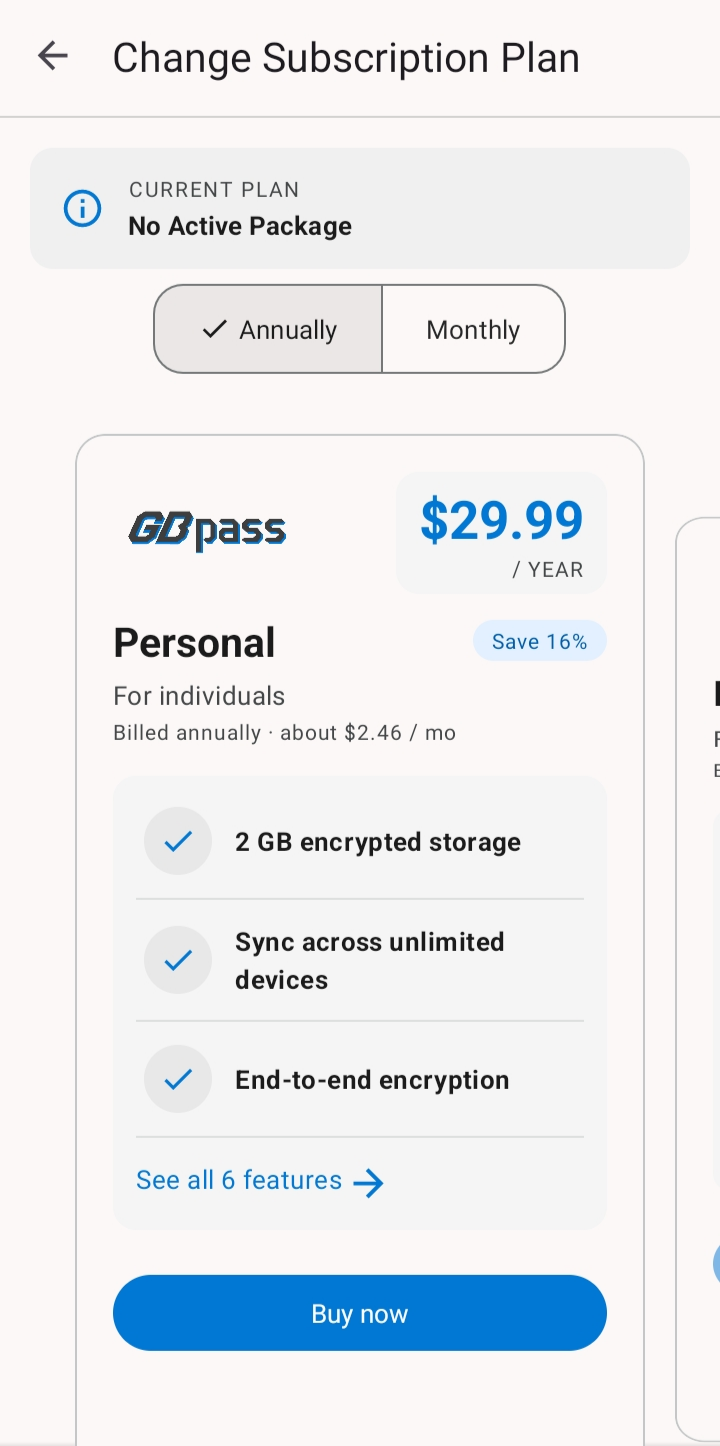
2. Choose a billing period
On the Plan screen you can pick how often you pay:
- check_circleMonthly: $2.99 a month, easy to try or stop.
- check_circleAnnually: $23.88 for the year, which works out to $1.99 a month.
Want to compare what each plan includes before you decide? Take a look at the full breakdown on the pricing page.
3. Subscribe through Google Play
All purchases are handled securely through Google Play Billing, so your payment details stay with Google and are never stored by GBpass. Choose your billing period, then confirm the purchase in the Google Play dialog. If you have not used it yet, Personal starts with a 30-day free trial: one tap, no plan to pick first, and nothing is charged until the trial ends.
4. When a subscription ends
Nothing is ever deleted. When a Personal subscription lapses, your account returns to the Free plan and you carry on with the same encryption, the same sync, and the same features. The only difference is the 250 MB Free storage limit instead of 20 GB.
warning If your files still take up more than the 250 MB that Free allows, GBpass switches to read-only until you free up space or resubscribe. You can always open and read everything in your Vault; you just cannot add or change items while you are over the limit.
5. Change or cancel your subscription
To switch plan, tap Plan - Manage Subscriptions on the Setting screen. This opens your subscriptions, where all billing changes are made.
- swap_horizUpgrade, downgrade, or change your billing period.
To cancel, you need to manually cancel through your Google Play account. If you cancel, your plan stays active until the paid period runs out, and then your account returns to the Free plan. Still have questions about billing? Check the help FAQ or contact our team.
Related articles
Still need a hand?
Browse the Help Center FAQ or contact our support team.