

Save your Recovery Kit
What your Recovery Kit contains, how to download and store it safely, and why it cannot be recovered if you lose it.
Your Recovery Kit is your safety net. It holds the details you need to sign in on a new device, and because GBpass can't recover your Master Password for you, storing your kit somewhere safe is one of the most important things you'll do.
What's in your Recovery Kit
- keyYour Secret Key: the 34-character code that pairs with your Master Password.
- lockA space for your Master Password, with some characters hidden for your security.
- mailYour account's sign-in email address.
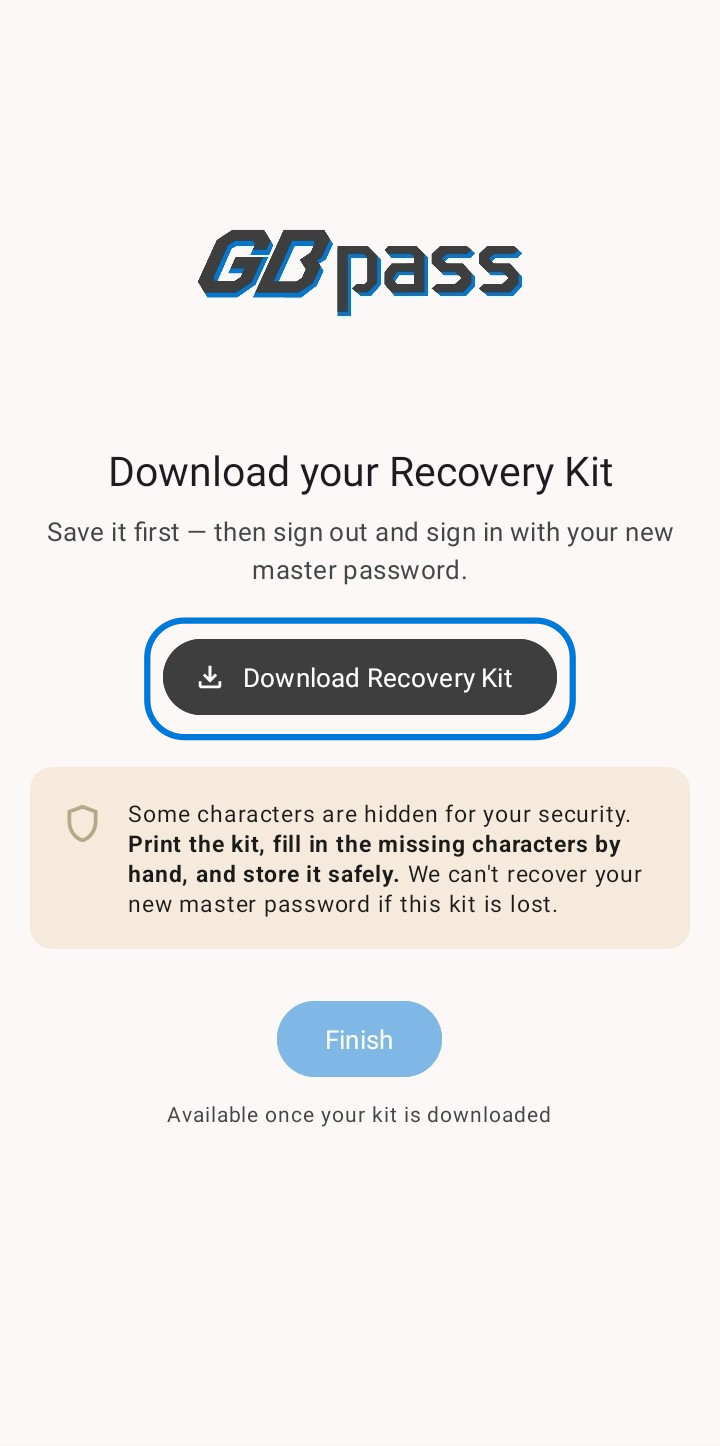
Because some characters are hidden, the recommended approach is to print the kit and fill in the missing characters by hand, then store it somewhere only you can reach.
Where to download it
You're prompted to download your Recovery Kit at two points:
- downloadDuring account creation (you must download it to finish registration).
- downloadAfter you change your Master Password. A fresh kit is generated, so save the new one.
Store it safely
warning GBpass uses zero-knowledge encryption, which means we never see your keys or Master Password. If your Recovery Kit is lost and you forget your Master Password, no one (including us) can restore access to your vault. That's the trade-off that keeps your data truly private.
Related articles
Still need a hand?
Browse the Help Center FAQ or contact our support team.