

Your Master Password & Secret Key
Understand the two keys that unlock your vault, what each one protects, and why only you can access your data.
GBpass protects your account with two pieces of information: your Master Password and your Secret Key. Together they form a two-part security model. Both are required to unlock your vault on a new device, so no single piece is enough to compromise your data.
Your Master Password
This is the password you create and type every time you sign in. It should be strong, memorable, and known only to you. A good Master Password is long and uses a mix of unrelated words or characters. Avoid anything easy to guess like birthdays or common phrases. GBpass never stores or transmits your Master Password, so only you can unlock your data. If you lose it, we can't recover it for you.
Your Secret Key
Your Secret Key is a unique 34-character code generated automatically when you create your account. It works together with your Master Password to encrypt your data and adds a powerful extra layer of protection, even in the unlikely event of a server breach. You don't need to memorise it; it's saved in your Recovery Kit.
Why two keys?
Your Master Password protects your data on your own devices, while your Secret Key protects your account at the server level. Keeping them separate means an attacker would need both to reach your vault. Keep them safe, keep them apart, and never share them with anyone.
Where to find your Secret Key
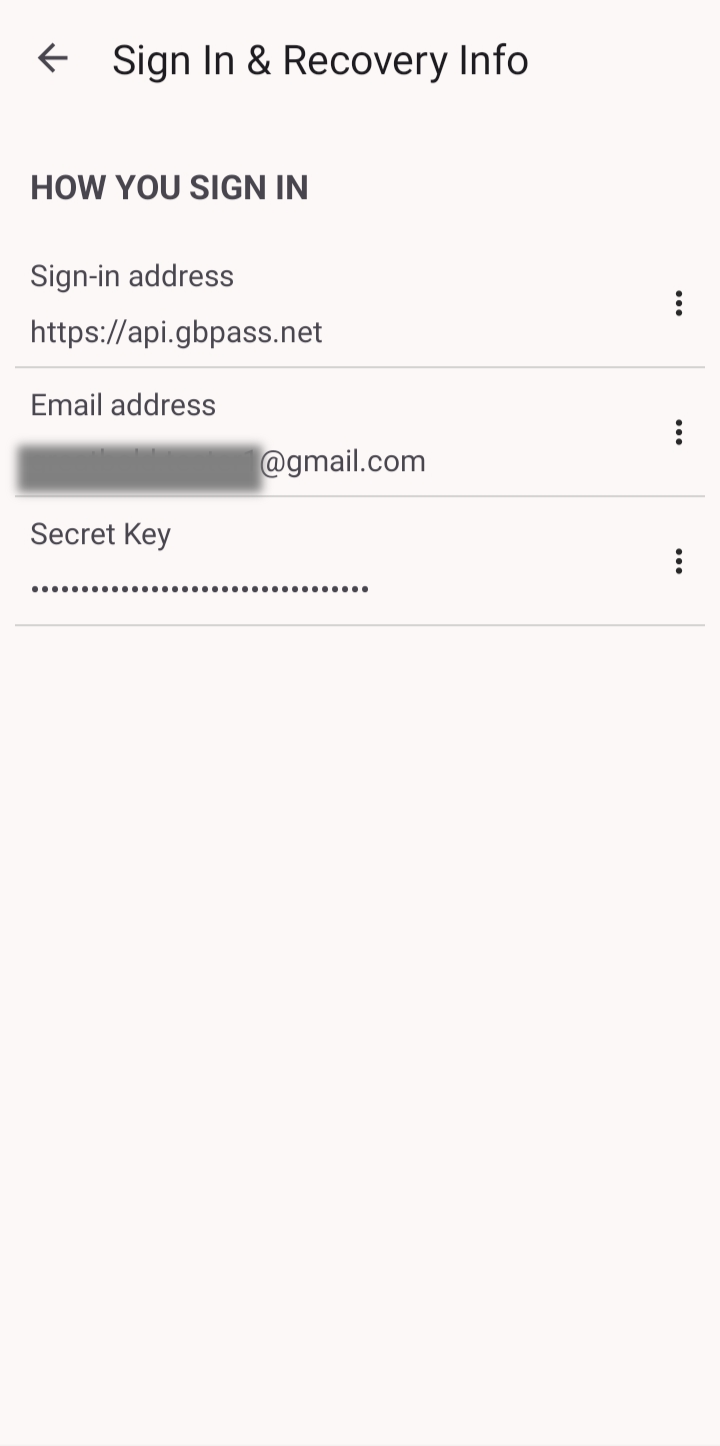
Already signed in and need your Secret Key again? Open Settings → Account → Sign In & Recovery Info, then tap your Secret Key to reveal and copy it.
Curious how the encryption actually works? The Security Guide explains the two-part model, AES-256-GCM encryption, and our zero-knowledge architecture in detail.
Related articles
Still need a hand?
Browse the Help Center FAQ or contact our support team.